Veo 3.1, Kling 4.0 and GPT Image 2.6 Are Now on deAPI
Four new models are live on deAPI. GPT Image 2.6 generates and edits images. Veo 3.1 and Veo 3.1 Fast turn a text prompt into a clip with sound, and Kling 4.0 animates a still image into up to 30 seconds of video.
The slugs are gpt-image-2.6, veo-3.1, veo-3.1-fast and kling-4. All four use the same endpoints as the rest of the catalogue, so trying one in an existing project means changing the model name.
To see how they work together, we made one frame with GPT Image 2.6, animated it with Kling 4.0 and gave both Veo models the same scene as text. All the prompts below come from that test.
GPT Image 2.6: bigger frames, more reference images
GPT Image 2.6 accepts sizes from 640 to 3840 px per side and aspect ratios up to 3:1. GPT Image 2 topped out at 2048 px. For image-to-image it takes up to five input images instead of two, so a product shot, a logo and a style reference can go into one request.
GPT Image 2 snapped odd dimensions to its own presets. On 2.6, /models lists custom output sizes as supported, in multiples of 16 px.
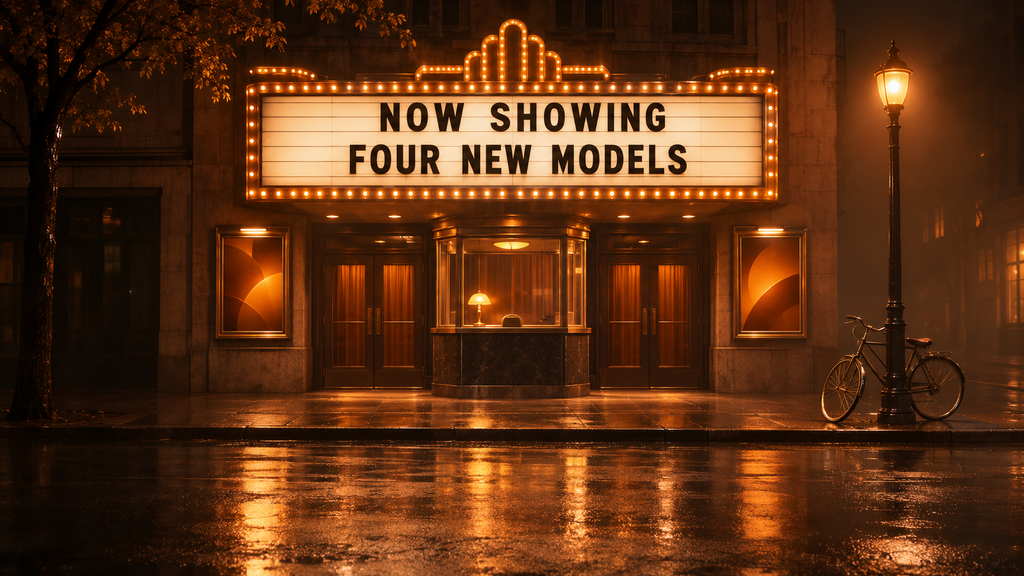
This is the frame we animated later in the article:
Photoreal cinematic wide shot, 16:9 landscape. A small vintage single-screen cinema on a quiet city street at night, just after rain. The marquee is the hero: a border of warm amber light bulbs and a white letter board with black letters reading exactly “NOW SHOWING” on the top line and “FOUR NEW MODELS” on the second line. Under the marquee: a glass ticket booth with a softly glowing window, framed posters on both sides showing only abstract amber shapes. A bicycle leans against a lamp post on the right. Wet asphalt reflects the amber light. No people. Palette: warm near-black shadows, amber and soft orange glow as the only strong colour, no blue or green neon. Composition: eye level, 35 mm lens, marquee centred in the upper middle, empty wet street in the foreground, the whole sign and the booth fit inside the central square of the frame. Light haze. The text must be sharp and spelled exactly as given, with no other words anywhere. No logos, no watermark.
Price per quality level
Here is one 1024×1024 image at each quality level:
| quality | GPT Image 2 | GPT Image 2.6 |
|---|---|---|
| low | – | $0.0832 |
| medium | $0.0528 | $0.1471 |
| high | $0.2108 | $0.1783 |
GPT Image 2 figures come from our August test, GPT Image 2.6 figures from November 12, 2026.
Medium got almost three times more expensive, while high got cheaper. In the GPT Image 2 article we suggested medium as the default and high only for the frame that ships. On 2.6 high costs 21% more than medium, about three cents per image, so it makes sense as the default for anything a user will see.
We reran the chalkboard prompt from that article at both levels:
A cafe A-frame chalkboard sign on a wet cobblestone sidewalk at dawn, handwritten chalk lettering reading OPEN – FRESH BREAD 7AM, shot on 35mm film with a 50mm lens, soft overcast light
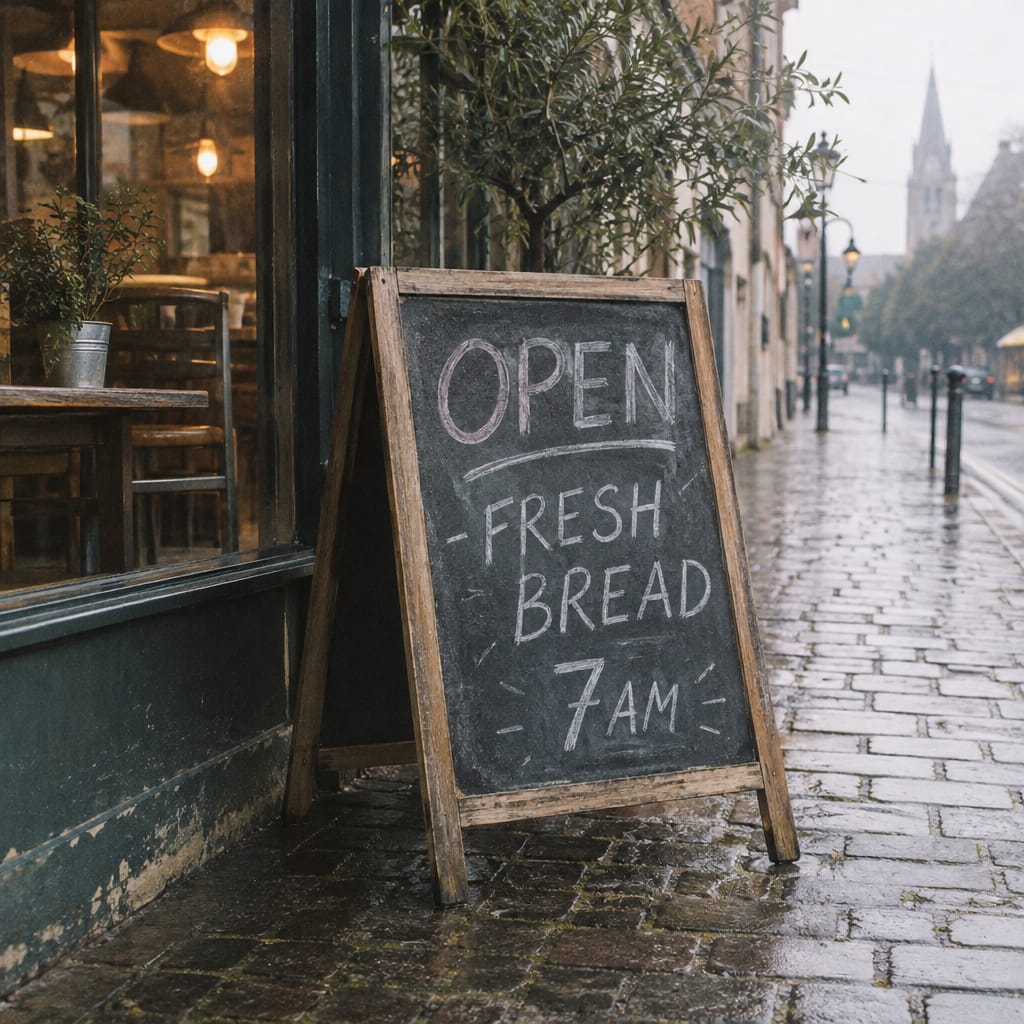
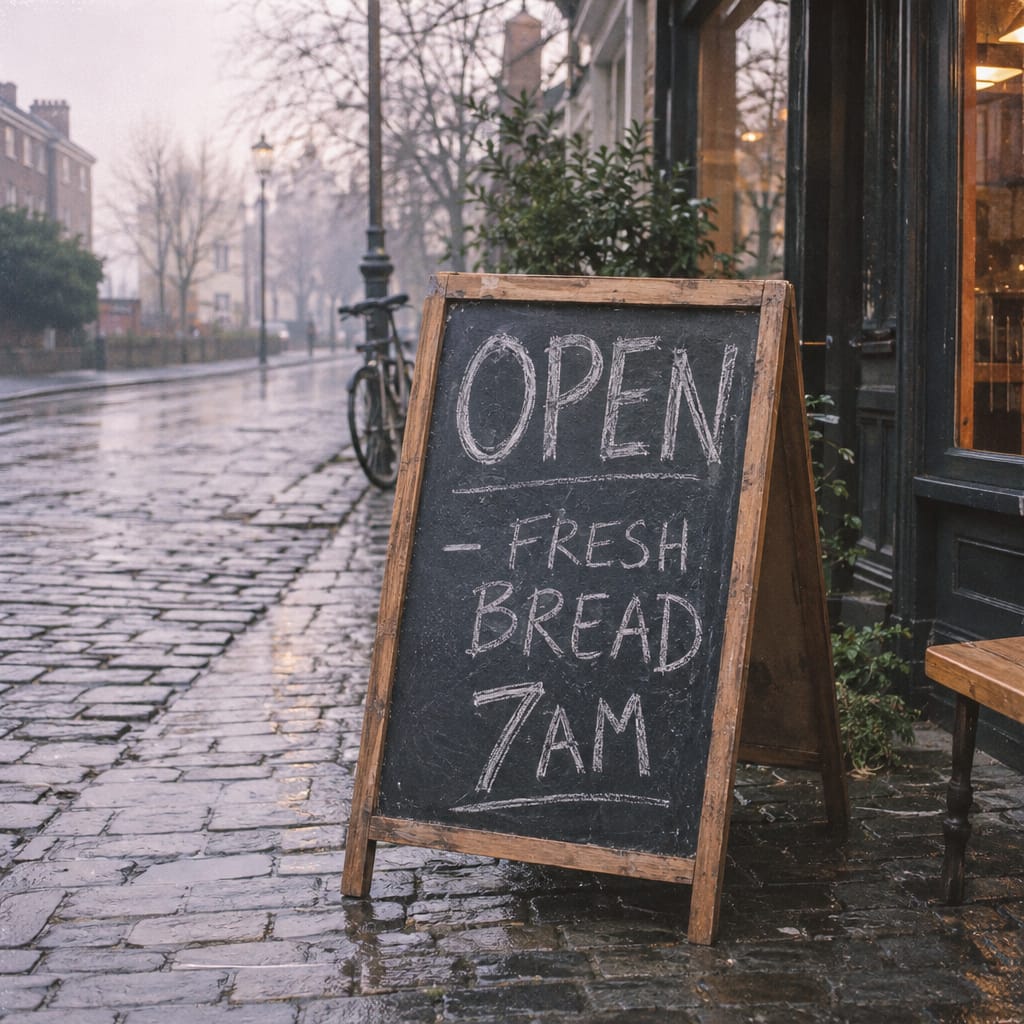
Both versions spelled OPEN, FRESH BREAD and 7AM correctly. High has sharper chalk texture and more detail in the cobblestones. The two images also came out with different layouts, even though both requests used seed 7, so a seed won’t carry a composition from one quality level to another.
Veo 3.1 or Veo 3.1 Fast
Both Veo models take a text prompt and return a clip with sound. On deAPI they are text-to-video only, so if you want to start from an existing frame, use Kling 4.0 (next section).
Their limits are identical: 720 to 1920 px, landscape or vertical up to 16:9, 4 to 8 seconds at 24 fps. Length is set in frames, so 97 frames give you 4 seconds and 193 give you 8. The only listed difference is price:
| 720p, per second | 8 s at 720p | |
|---|---|---|
| Veo 3.1 | $0.40 | $3.20 |
| Veo 3.1 Fast | $0.10 | $0.80 |
Fast costs a quarter of the standard price, which makes it a good fit for drafts and prompt iteration.
We sent the same prompt to both models, 720p, 8 seconds:
Scene: Photoreal cinematic wide shot of a quiet city street at night, just after rain. A small vintage single-screen cinema with a marquee framed by warm amber light bulbs and a white letter board with black letters reading exactly “NOW SHOWING” on the top line and “FOUR NEW MODELS” on the second line. Below the marquee a glass ticket booth with a softly glowing window, framed posters with abstract amber shapes on both sides, and a bicycle leaning against a lamp post on the right. Wet asphalt mirrors the amber light, light haze, the street is empty. > > Camera: One continuous shot. Starts at eye level with a 35 mm lens, the marquee in the upper middle of the frame, then a slow crane down to just above the wet asphalt, ending low on a large puddle in the foreground. > > Action: A gust of wind lifts a single blank paper ticket from the pavement by the booth. It tumbles across the street in a natural arc, lands flat in the puddle and floats, sending rings across the reflection of the glowing marquee. The marquee letters stay still and readable the whole time. > > Palette: Warm near-black shadows, amber and soft orange glow as the only strong colour. > > Sound: A whoosh of wind, the dry flutter of paper, a soft wet slap as the ticket lands, steady light rain, distant city hum. Ambient sound only, without music.
Kling 4.0: start from a frame you already have
Kling 4.0 is the only one of the three that accepts an image. Send a start frame, and optionally an end frame, to /videos/animations, and the model fills in the motion between them. Clips run from 3 to 30 seconds, and the frame can be as wide as 2520 px at 21:9.
It costs $0.157 per second at 720p and $0.235 at 1080p. A 5-second 720p clip like the one below costs $0.785, and the longest clip at 720p, 30 seconds, comes to $4.71.
The prompt we used on the cinema frame:
Start exactly from the provided frame. One continuous shot. Camera: slow, steady push-in toward the cinema marquee, ending with the sign filling the upper half of the frame. Action: the amber bulbs chase once around the border from left to right, then a light drizzle begins and ripples spread in the puddles. The letters on the sign stay perfectly still and readable. Sound: soft rain, faint electric hum of the bulbs. No people, no new text, no cuts, no camera shake.
And the request:
import os
import time
import requests

API = "<https://api.deapi.ai/api/v2>"
HEADERS = {"Authorization": f"Bearer {os.environ['DEAPI_API_KEY']}"}
PROMPT = "Start exactly from the provided frame. One continuous shot. ..."  # full prompt from above

with open("cinema.png", "rb") as frame:
    r = requests.post(
        f"{API}/videos/animations",
        headers=HEADERS,
        data={
            "model": "kling-4",
            "prompt": PROMPT,
            "width": 1920,
            "height": 1080,
            "frames": 121,  # 5 seconds at 24 fps
            "fps": 24,
            "seed": 42,
        },
        files={"first_frame_image": frame},
    )
r.raise_for_status()
request_id = r.json()["data"]["request_id"]

while True:
    job = requests.get(f"{API}/jobs/{request_id}", headers=HEADERS).json()["data"]
    if job["status"] in ("done", "error"):
        break
    time.sleep(10)

print(job["status"], job.get("result_url"), job["price"])
For an end frame, add a second file under last_frame_image. Veo requests use the same fields minus the image, sent as JSON to /videos/generations.
The API fits the start image to the canvas you request, whatever its aspect ratio. Generate the frame at the same ratio as the video (16:9 here) and the fitting step has nothing to change.
Which video model to use
| Veo 3.1 | Veo 3.1 Fast | Kling 4.0 | |
|---|---|---|---|
| Input | text | text | text, start frame, end frame |
| Length | 4-8 s | 4-8 s | 3-30 s |
| Max side | 1920 px | 1920 px | 2520 px |
| Widest ratio | 16:9 | 16:9 | 21:9 |
| Per second at 720p | $0.40 | $0.10 | $0.157 |
Settings that don’t apply
/models lists steps, guidance and a separate negative prompt as unsupported on all four models. Anything you’d normally put in a negative prompt field goes into the main prompt, which is why the prompts above end with lines like “No people, no cuts”. The GPT Image 1.5 and 2 article covers this switch in more detail.
Paid accounts only
All four are third-party models that run on a partner network. They need a paid account, and the $5 in free credits for new accounts doesn’t unlock them.
Prices in this article are as of November 12, 2026. The /price endpoint returns the current figure for any request before you send the job.
Try Veo 3.1 Fast on a prompt you already have
Four seconds of 720p from Veo 3.1 Fast cost 40 cents. Take a prompt your current video model struggles with and see what Veo does with it.