GPT Image 1.5 and GPT Image 2 Are Now on deAPI
GPT Image 1.5 and GPT Image 2 were the two most requested models in our Discord. Both are in the catalogue now, under the slugs gpt-image-1.5 and gpt-image-2.
They run through the same endpoint as everything else here. If your code already calls FLUX or Z-Image, switching models means editing one string.
The one-line switch
curl -X POST "https://api.deapi.ai/api/v2/images/generations" \
  -H "Authorization: Bearer $DEAPI_API_KEY" \
  -H "Content-Type: application/json" \
  -d '{
    "model": "gpt-image-2",
    "prompt": "A cafe A-frame chalkboard sign on a wet cobblestone sidewalk at dawn, handwritten chalk lettering reading OPEN - FRESH BREAD 7AM, shot on 35mm film with a 50mm lens, soft overcast light",
    "width": 1024,
    "height": 1024,
    "seed": 7,
    "quality": "medium"
  }'
You get a request_id back. Poll GET /api/v2/jobs/{request_id} until status flips to done and read result_url. Same async pattern as the rest of the catalogue.
prompt, width, height and seed are all required. Leave any of them out and validation tells you so before you spend anything.
What changes when you come from open source
Three parameters you probably have hardcoded stop mattering here. GET /api/v2/models reports supports_steps, supports_guidance and supports_negative_prompt as false for both models. Sending them anyway doesn’t trigger a validation error, so nothing in the response warns you that your carefully tuned guidance_scale is going nowhere.
Anything you used to express as a negative prompt has to move into the positive one. “A plain white studio backdrop” instead of “no background clutter.” Long-time Z-Image users already know this dance, since guidance_scale: 0.0 there produced the same situation.
Output size behaves differently too. supports_custom_output_size is false, and the models snap to their own supported dimensions: ask for 1030×1024 and a 1024×1024 file comes back. The request succeeds, so check the pixels rather than trusting your payload.
quality is the new dial
In place of step count you get quality, and it moves the price a lot. Here’s what a single 1024×1024 image cost on a live run this week:
| Model | quality | Price per image |
|---|---|---|
| GPT Image 1.5 | medium | $0.04 |
| GPT Image 1.5 | high | $0.14 |
| GPT Image 2 | medium | $0.0528 |
| GPT Image 2 | high | $0.2108 |
Jumping from medium to high costs 3.5× more on 1.5 and roughly 4× more on 2. For thumbnails, drafts and anything a user is going to regenerate five times before they like it, medium is the sane default. Save high for the frame that ships.
GPT Image 2 also accepts quality: "auto", which lets the model pick. GPT Image 1.5 rejects it with a validation error, along with anything outside low, medium and high.
Which one to reach for
| GPT Image 1.5 | GPT Image 2 | |
|---|---|---|
| Resolution range | 1024-1536 px | 512-2048 px |
| quality options | low, medium, high | low, medium, high, auto |
| Modes | txt2img, img2img | txt2img, img2img |
| Max input images | 2 | 2 |
The resolution range is the real fork. GPT Image 2 goes down to 512 px and up to 2048, which puts both avatars and large hero images in scope. GPT Image 1.5 starts at 1024 and stops at 1536, covering most product work at a lower price per frame.
Both handle image-to-image and take up to two input images, so composition prompts that reference a product shot plus a style reference work on either.
The thing they’re actually good at
Text in images. We ran the same chalkboard prompt through both models at both quality levels, and all four came back with “OPEN”, “FRESH BREAD” and “7AM” spelled correctly, chalk texture and croissant doodle included.
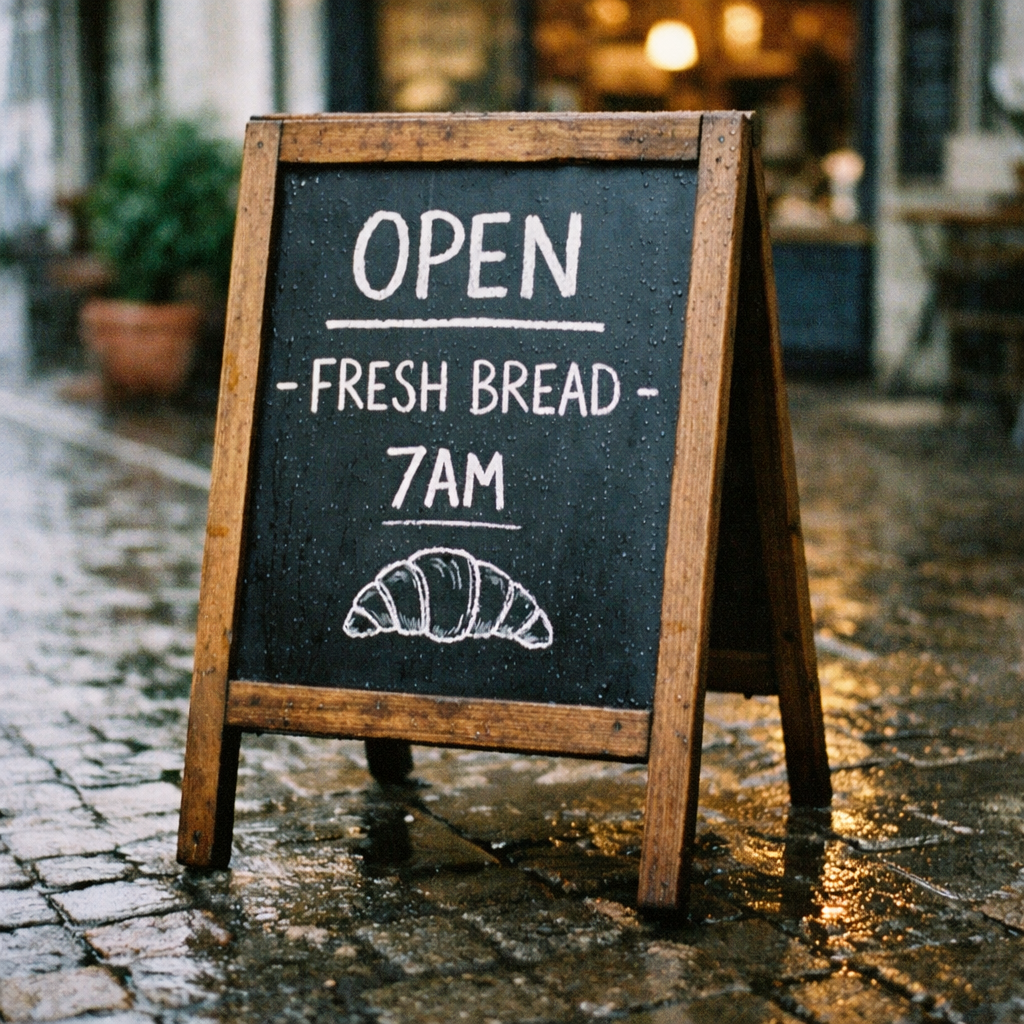
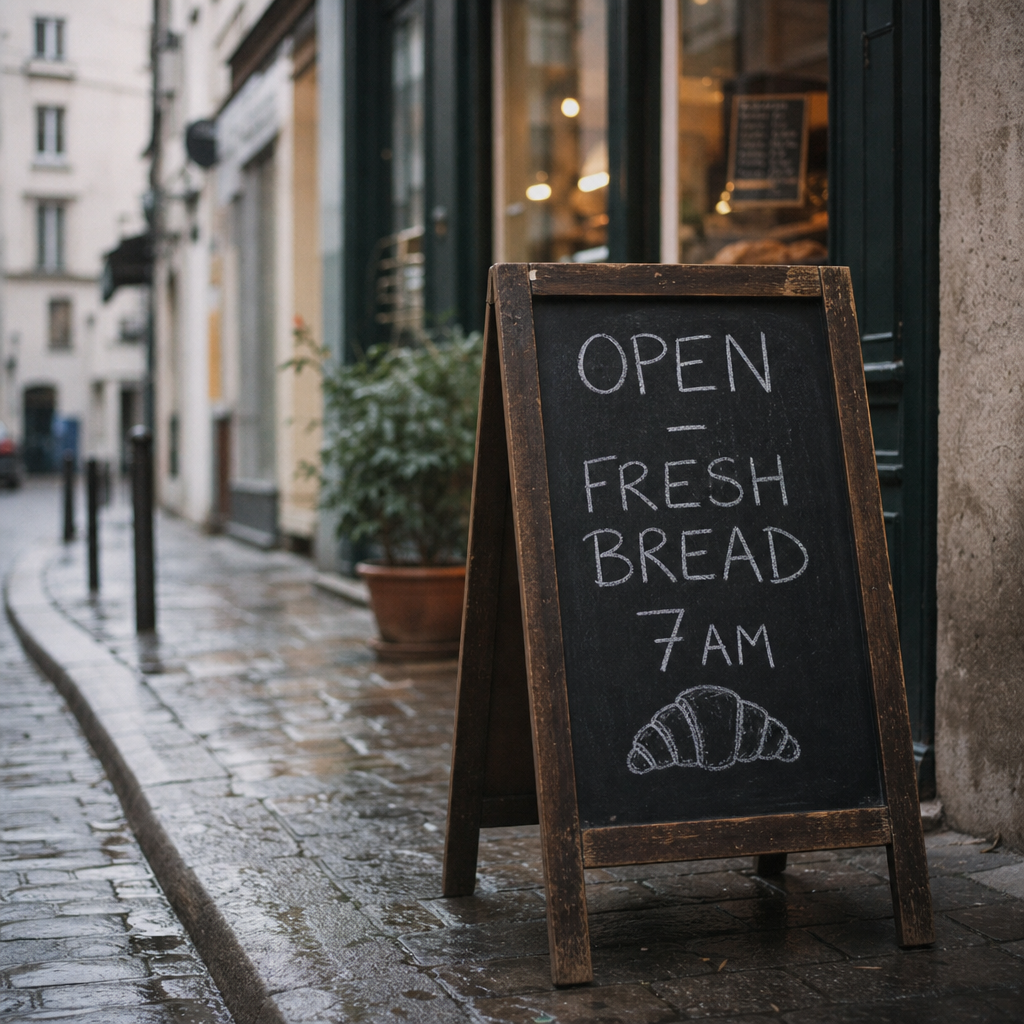
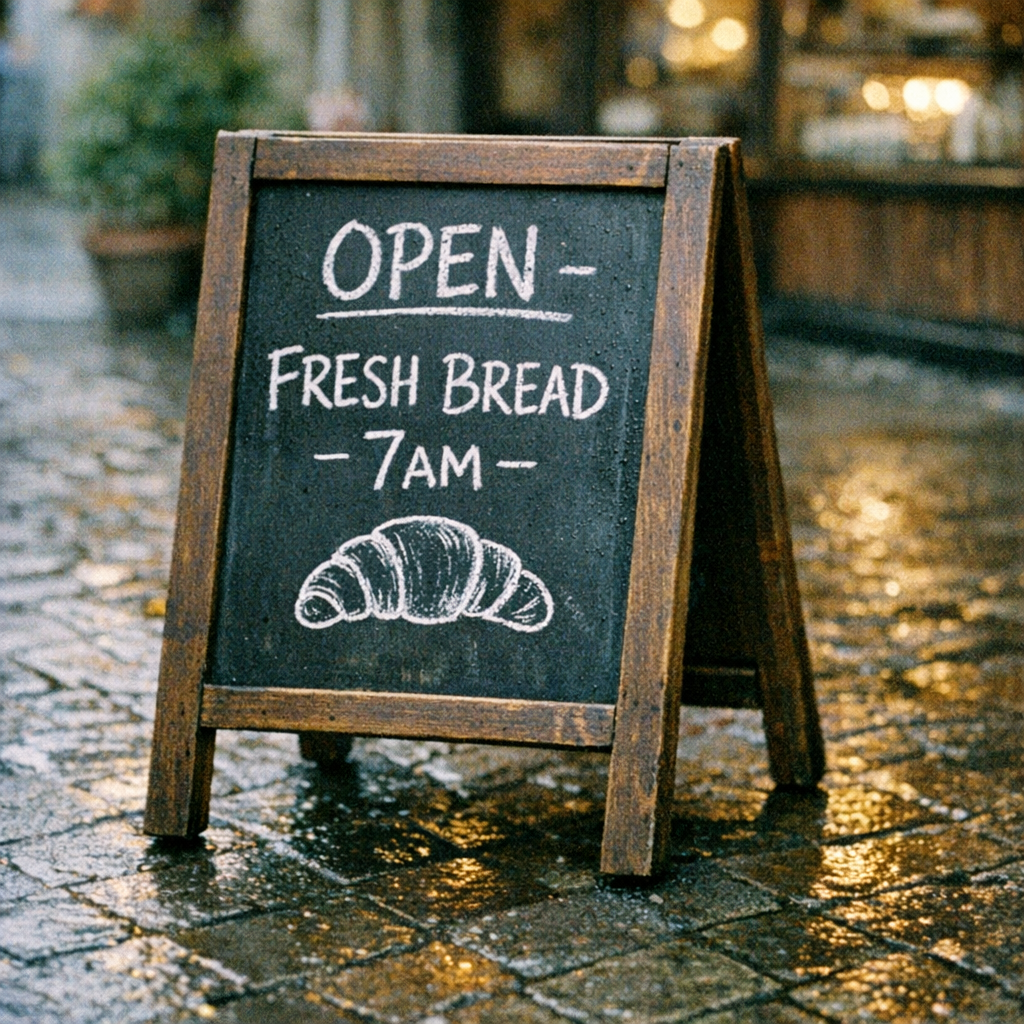
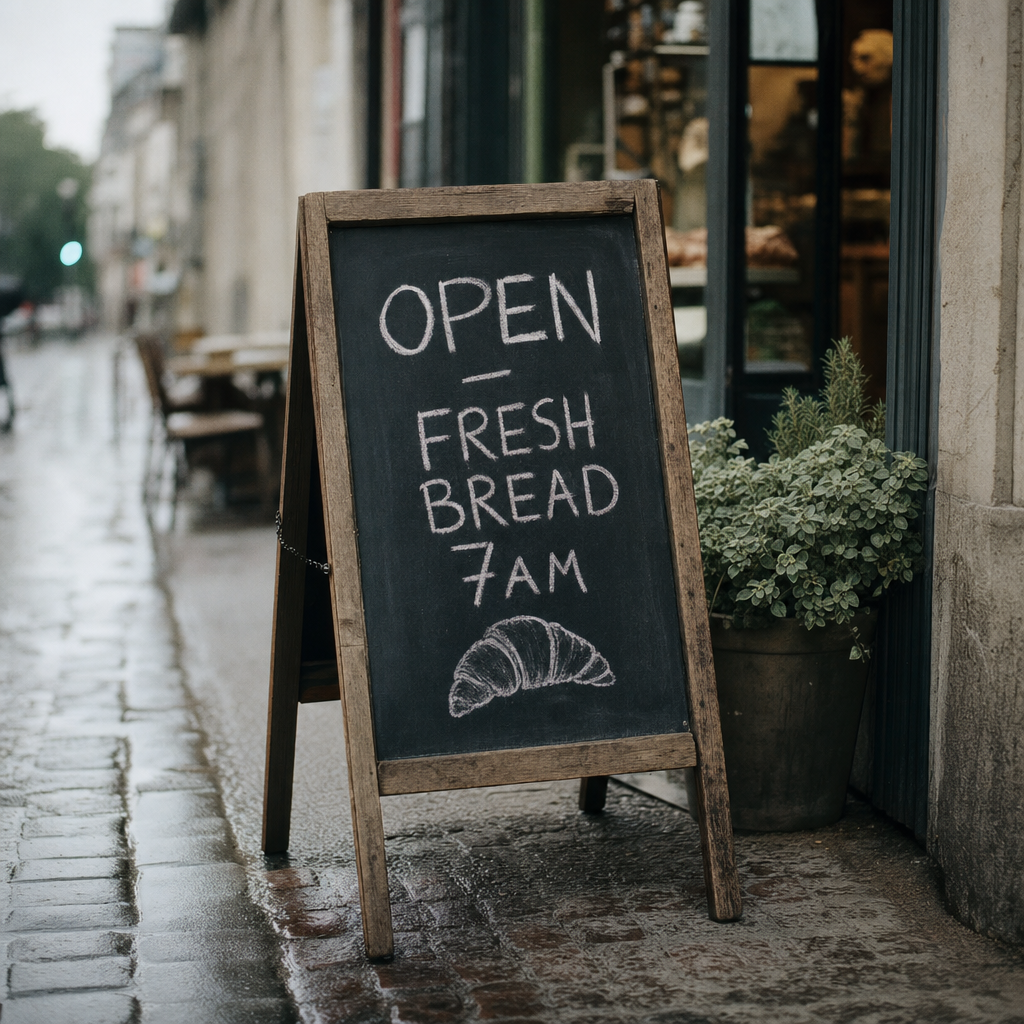
That’s the gap worth knowing about. Sign copy, packaging mockups, UI screenshots and anything with a readable label is where these two earn their price difference against the open source catalogue.
Experimental, and paid accounts only
Both models carry two tags: External, meaning they run on partner infrastructure rather than ours, and Experimental, meaning they’re here for testing and comparison against the open source catalogue. Give them a few weeks before you wire them into a production pipeline.
Access needs a paid account. The $5 in free credits new accounts get won’t open these two, since we can’t subsidise inference we don’t run ourselves.
If something behaves oddly, tell us on Discord. That feedback decides whether these graduate out of Experimental or quietly disappear.
Try them on a prompt you already know
Take a prompt that gave your current model trouble, especially one with words in the image, and run it through gpt-image-2 at medium. Five cents to find out whether the upgrade is worth it on your workload.