Background Removal

Ben2

Free Playground & API · $5 to Start

Instantly isolate subjects from backgrounds with boundary-aware precision.

No subscription
No credit card required
HuggingFace

Sample Outputs

Real outputs generated with Ben2 on deAPI.

Original source image — Woman with bouquet, garden background cleanly removed to transparent Ben2 AI output — Woman with bouquet, garden background cleanly removed to transparent
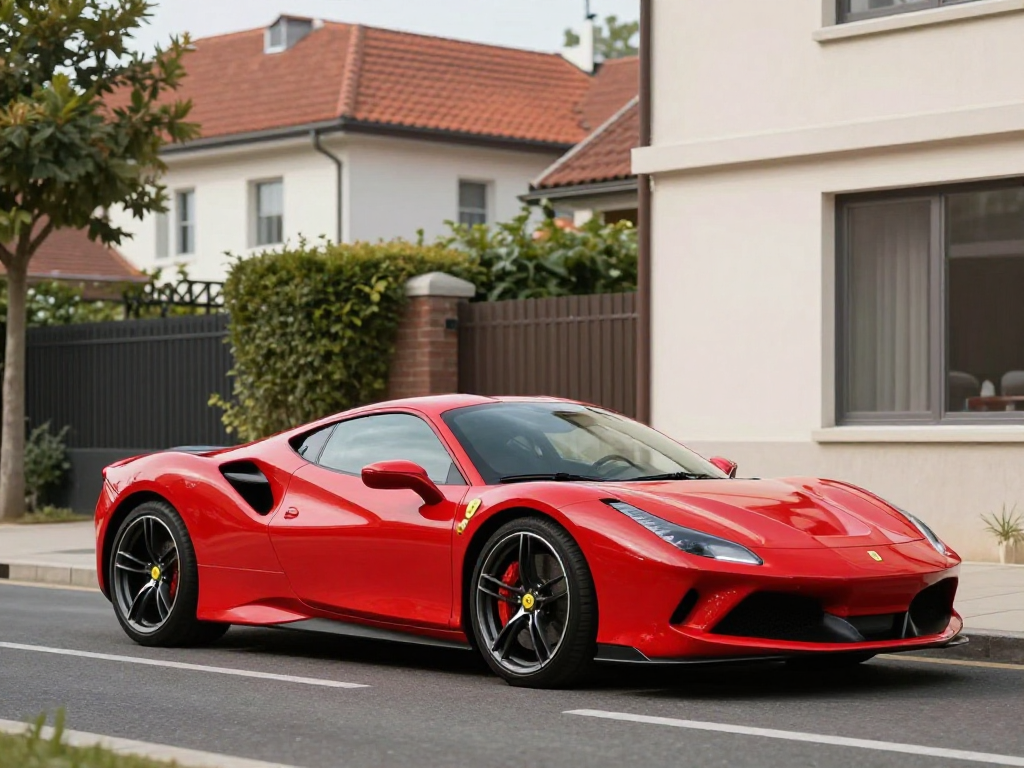
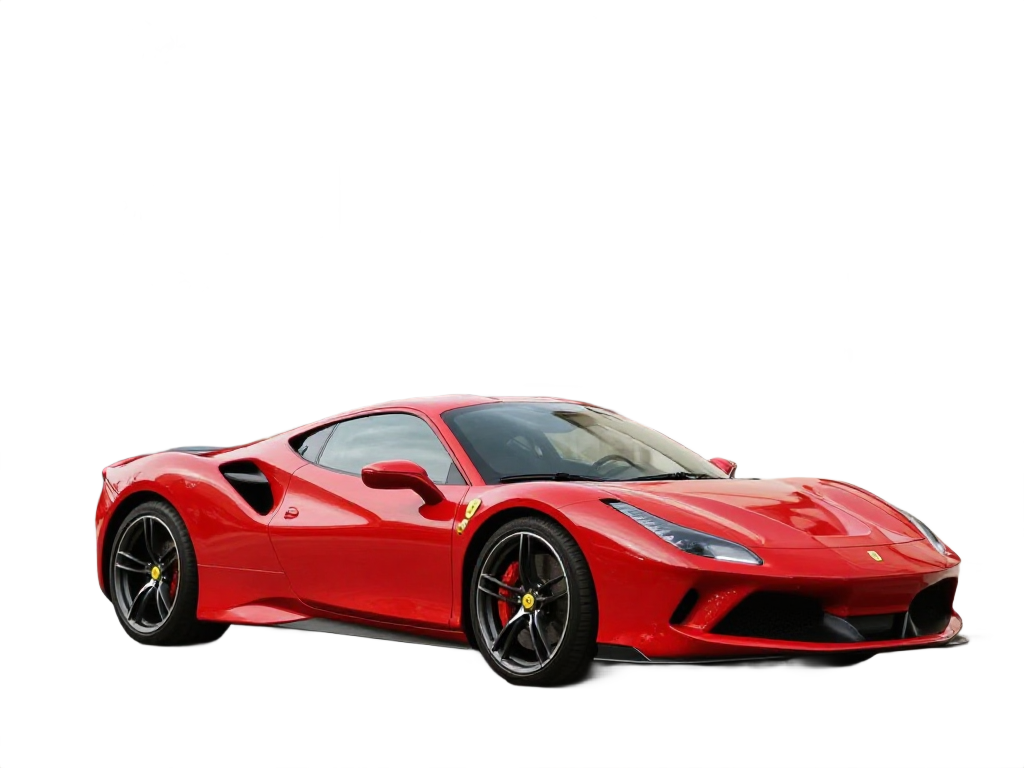
Original source image — Red sports car isolated from urban street background Ben2 AI output — Red sports car isolated from urban street background
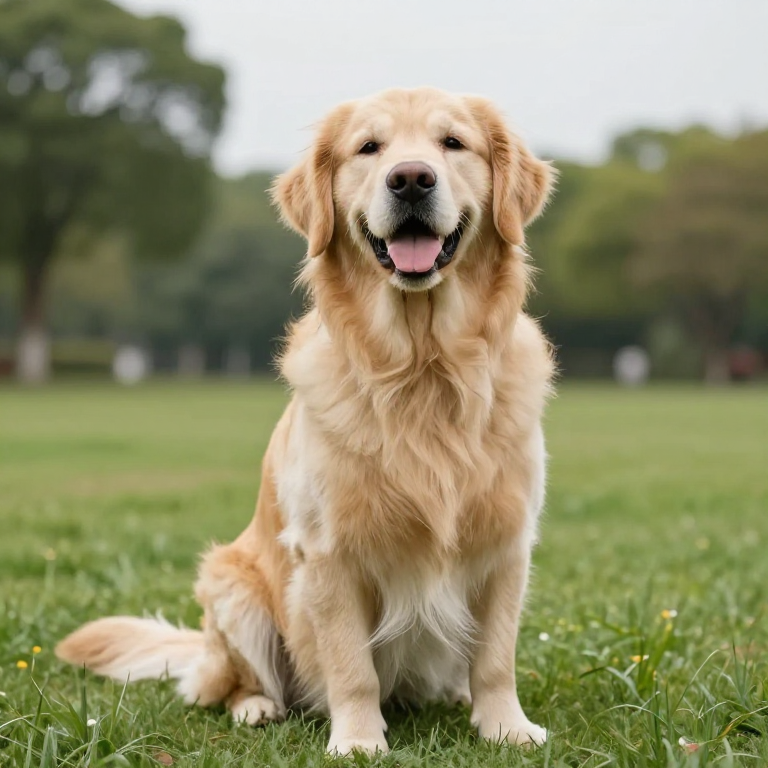
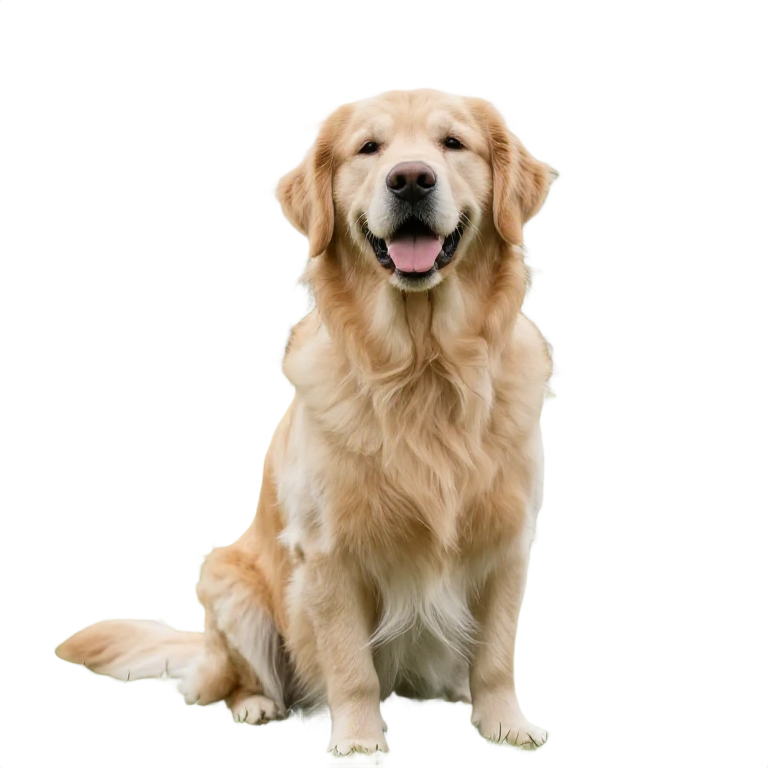
Original source image — Golden retriever dog isolated from park grass and trees Ben2 AI output — Golden retriever dog isolated from park grass and trees
Original source image — Ceramic coffee mug isolated from blurred cafe background Ben2 AI output — Ceramic coffee mug isolated from blurred cafe background
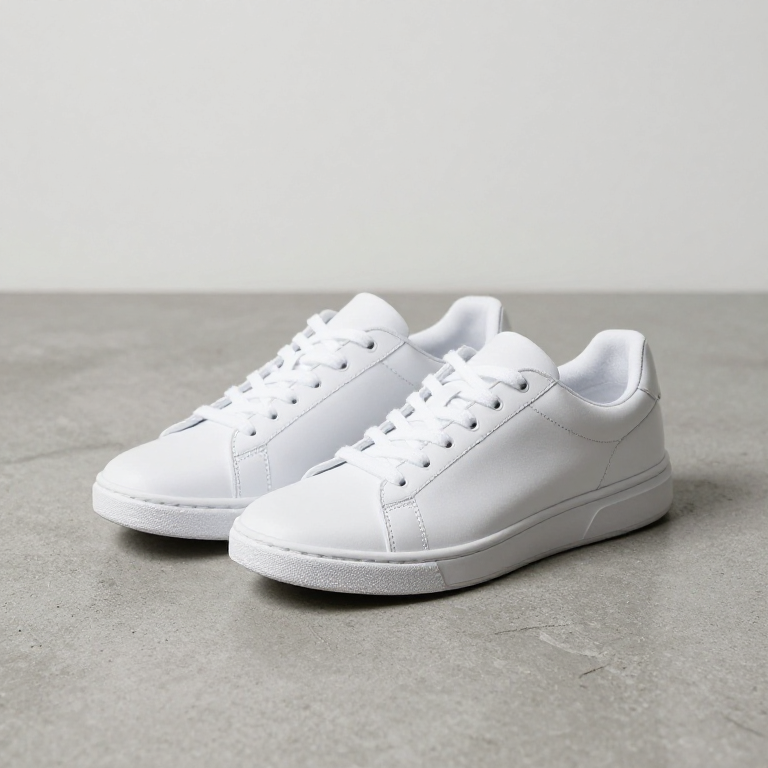
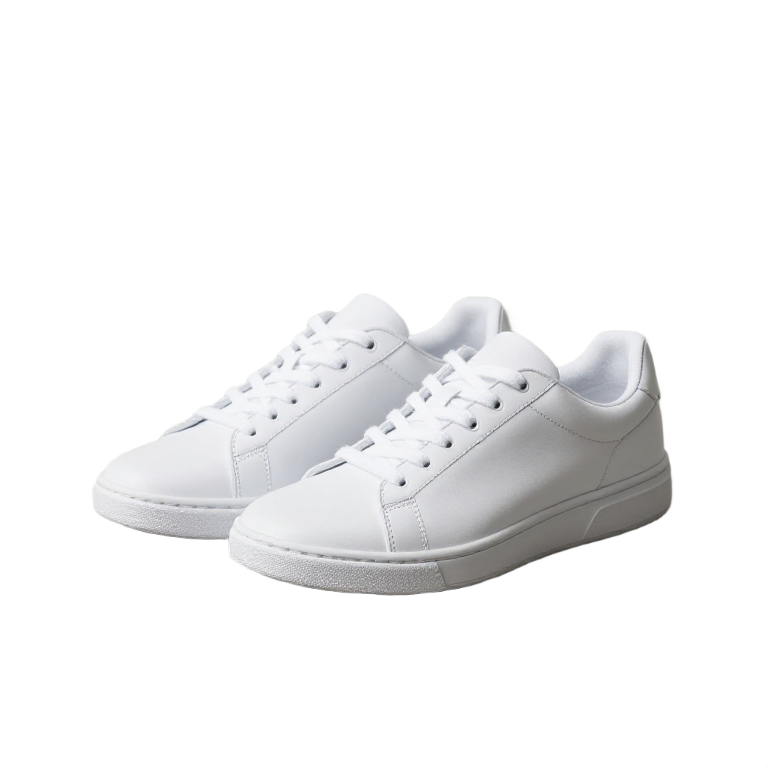
Original source image — Pair of white sneakers isolated from concrete background Ben2 AI output — Pair of white sneakers isolated from concrete background
Original source image — Young man isolated from rooftop city skyline background Ben2 AI output — Young man isolated from rooftop city skyline background
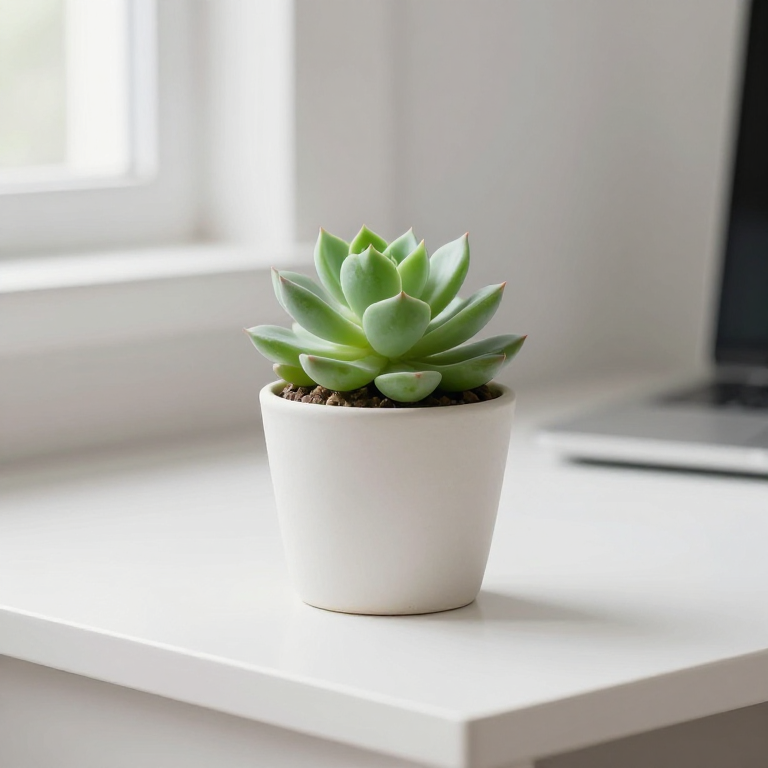
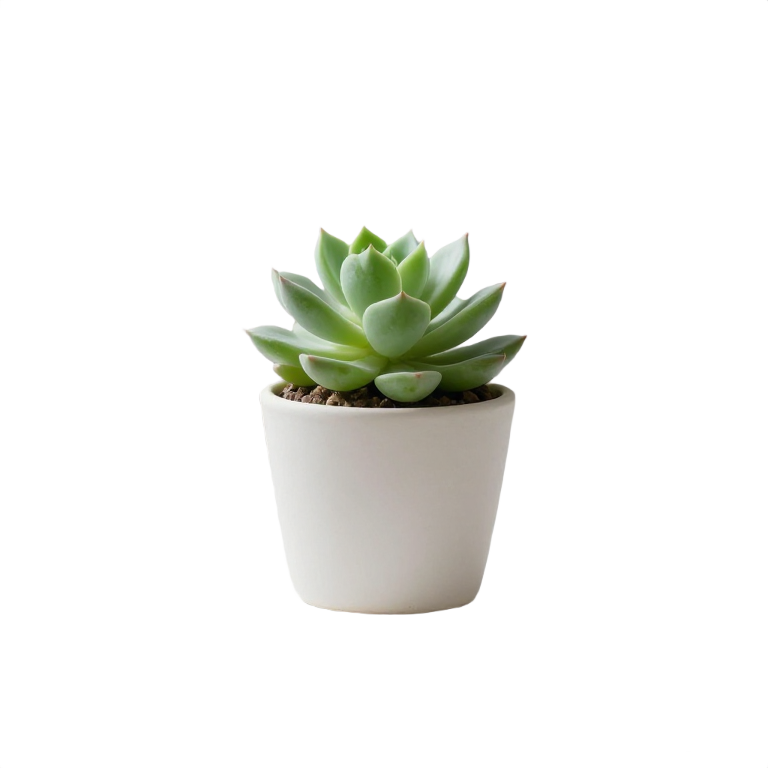
Original source image — Potted succulent isolated from white desk background Ben2 AI output — Potted succulent isolated from white desk background
Original source image — Luxury wristwatch isolated from dark product photography background Ben2 AI output — Luxury wristwatch isolated from dark product photography background
Source Output

"Woman holding flowers — garden background removed"

"Red sports car — street and buildings removed"

"Golden retriever — park background removed"

"Coffee mug — cafe background removed"

"White sneakers — concrete surface removed"

"Man on rooftop — city skyline removed"

"Succulent plant — desk background removed"

"Wristwatch — dark surface removed"

Capabilities

Model ID: Ben2

What you can do with Ben2.

Background Removal

Remove backgrounds from images instantly. Perfect for product photos, portraits, and creating transparent PNGs.

Technical Specifications

Resolution

128–2048 x 128–2048 px

How to Use in deAPI

Integrate Ben2 into your app with a single API call.

POST https://api.deapi.ai/api/v1/client/img-rmbg
curl -X 'POST' \
  'https://api.deapi.ai/api/v1/client/img-rmbg' \
  -H 'accept: application/json' \
  -H 'Content-Type: application/json' \
  -H 'Authorization: Bearer YOUR_API_KEY' \
  -d '{
    "model": "Ben2",
    "image": "BASE64_OR_URL"
}'
{
    "model": "Ben2",
    "image": "BASE64_OR_URL"
}

Tip: The API returns a request_id. Use webhooks (recommended) or poll GET /request-status/{'{'}request_id{'}'} for results.

Need an API key?

Sign up for free and get $5 in credits to start.

Get $5 credits
Get started with Ben2

Frequently Asked Questions

Instantly isolate subjects from backgrounds with boundary-aware precision.
Ben2 handles any image type — product photos, portraits, animals, complex scenes. It uses boundary-aware processing to cleanly separate foreground subjects from backgrounds, even with fine details like hair or fur.
Ben2 outputs a transparent PNG with the background removed. Input images can range from 128×128 to 2048×2048 pixels.
Sign up for a free deAPI account at https://deapi.ai/register and get $5 in free credits — no credit card required. Then open the playground, select Ben2, and generate your first result in seconds.
deAPI is pay-per-use with no subscriptions or monthly fees. Check the pricing page at https://deapi.ai/pricing for current per-generation rates.
Yes. Ben2 is available via the deAPI REST API. Submit a request, receive a request ID, and poll for the result. See the API documentation at https://docs.deapi.ai for code examples in Python, Node.js, and cURL.

Try Ben2 for Free

Get $5 in free credits and start generating with Ben2.

Get $5 credits
No subscription
No credit card required
Pay only for what you use