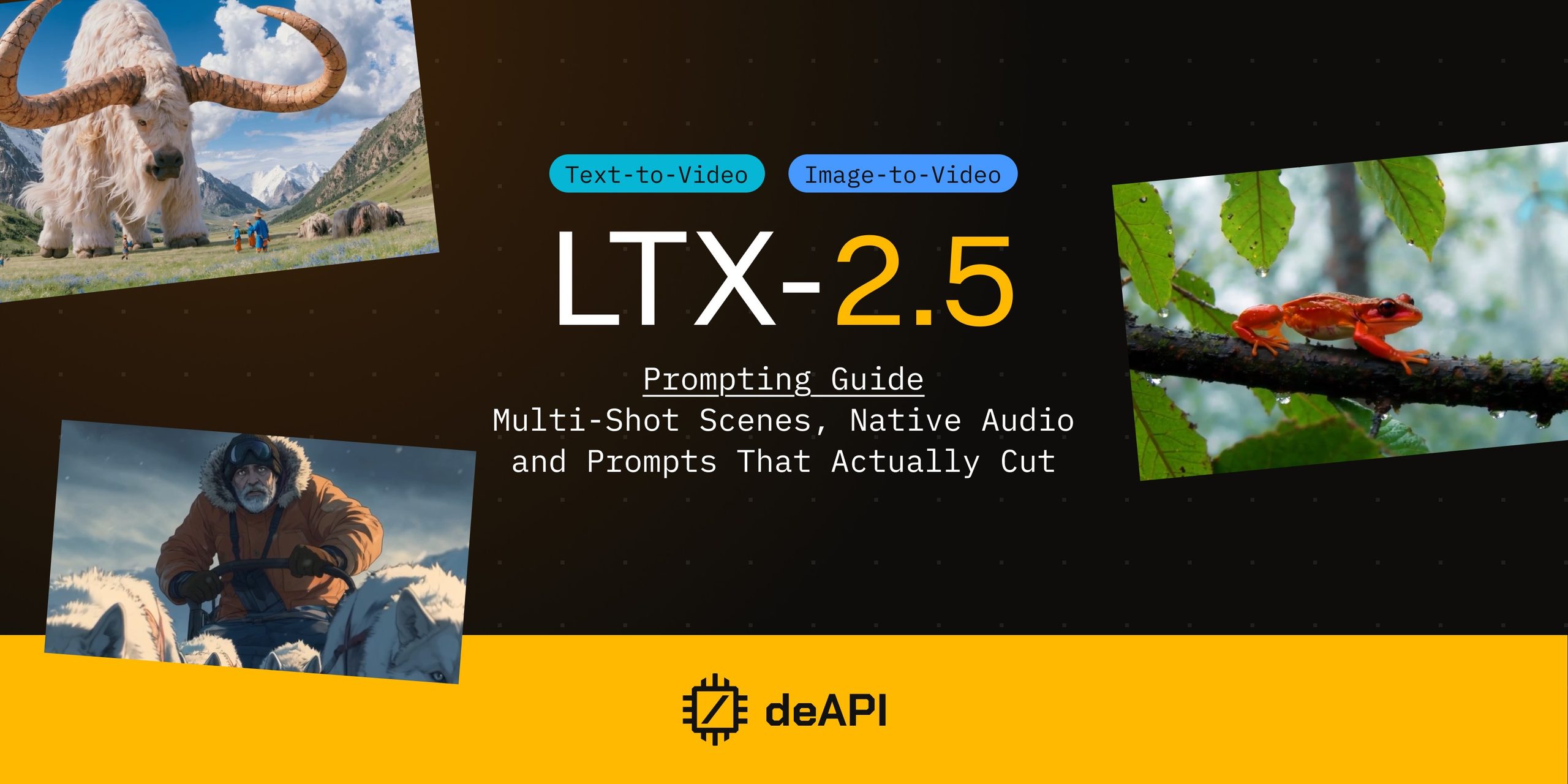
LTX-2.5 Prompt Guide: Multi-Shot Scenes, Native Audio, and Prompts That Actually Cut
LTX-2.5 puts several shots into one generation, joined by real cuts, and the face in the opening shot is still the same face after the cut. It scores the clip while it renders, so the ambience and foley arrive with the picture.
Lightricks’ 22-billion-parameter model runs on deAPI in three modes: text-to-video, image-to-video, and audio-to-video. This guide covers how to write for each, with five prompts you can paste and run, plus the parameters that actually go in the request.
What Changed Since LTX-2.3
Three upgrades matter for how you write prompts.
Native multi-shot. Earlier versions produced a single continuous shot. LTX-2.5 generates connected scenes in one pass, keeping character identity, environment, lighting and visual style consistent across cuts. There is no parameter for this. You write the cut into the prompt as prose, and the model executes it.
A new diffusion video decoder replaces the VAE reconstruction stage. Faces and short on-screen text come out sharper, and demanding scenes carry fewer artifacts.
A custom Gemma 4 12B text encoder holds long prompts together. On earlier models, detail piled at the end of a prompt tended to get dropped. Here you can specify multiple characters, a camera move, a lighting scheme and an action sequence in one paragraph and expect all of it to land. Longer, denser prompts pay off more than they used to.
On deAPI, LTX-2.5 also renders wider than 2.3 did. The older model topped out at 1024 pixels on the long side; 2.5 goes to 1344.
The Six Elements of an LTX Prompt
LTX is trained on cinematographic narration. It rewards a prompt that reads like a shot description written by someone who has stood behind a camera, and both extremes cost you. A bare noun phrase returns a near-static clip, and a list of Subject: / Camera: / Audio: labels produces something that looks assembled rather than filmed.
Write one flowing paragraph, present tense, four to eight sentences. Cover six things:
1. Establish the shot. Shot scale and the genre’s visual language: close-up, medium, wide, establishing, POV, over-the-shoulder, aerial.
2. Set the scene. Lighting, colour palette, surface texture, atmosphere. Name light as a physical source with a direction. Write “golden-hour rim light through a doorway” rather than “beautiful lighting”, which gives the model no position to work from.
3. Describe the action. This is the single most important element, and it belongs at the front of the paragraph. LTX returns a near-static clip when nothing clearly moves. Use motion verbs and join stages with “then”.
4. Define the character. Age, hair, clothing, one distinguishing feature. Keep it to one subject, two at most, with anyone else as blurred background. And express emotion through physical cues rather than naming it. “Her jaw tightens and she looks away” is a direction the model can render. “She feels anxious” is not.
5. Identify the camera movement. Always name one, described relative to the subject. Saying how things look after the move helps the model finish it: “the camera pushes in slowly and settles on his lined, concentrated face.”
6. Describe the audio. Ambience, foley, music, speech. Dialogue goes in quotation marks with the language named.
Two habits sit underneath all six. Keep one light logic per shot, since mixed unexplained sources muddy the grade. And start simple, layering in detail once the basic version renders the way you expected.
The Audio Sentence Carries Weight
Picture and sound are generated jointly, in the same pass. Your closing sentence is a real instruction, and a vague version of it costs you the soundtrack.
Name concrete sources and keep them coherent with what is on screen. Never ask for a sound with no visible cause. Combine ambience (room tone, wind, rain, city hum, surf) with foley tied to the action you just described (footsteps, fabric rustle, a sizzle, glass clink). Add music by genre and tempo only when the scene calls for it.
Distance matters in the wording. “Gulls cry overhead and water laps against the pilings” describes a soundscape somewhere in the general vicinity. “The soundscape is close and busy: gulls calling loudly overhead, rigging clanking against metal masts, water slapping the pilings beneath him” tells the model where the microphone is.
For dialogue, budget roughly two and a half spoken words per second and leave a beat of silence at each end. A ten-second clip holds about twenty-five words comfortably. Ambience without speech is the safest default and renders most reliably.
Multi-Shot: Writing a Cut
Multi-shot needs nothing from the API. You write the whole scene as one chronological paragraph and name every transition in prose. Shot lists, numbered beats and screenplay sluglines get ignored unless you also describe the cut in sentences.
At each cut, do four things.
Name the transition. “A hard cut transitions to…”, “the view cuts to a close-up of…”, “a match cut connects…”, “the image dissolves into…”.
Re-establish the new shot. Scale, angle, who is in frame, and the lighting if it changed.
Keep identity consistent. Reuse the same visual tag for anyone who reappears: “the woman in the yellow raincoat, earlier at the table, now…”.
State what the sound does. “The synth score continues across the cut”, or “the dialogue drops and only wind remains”.
Two to four shots per generation works best. Give each one a job (establish, then detail, then reaction), keep the action chronological with “initially” and “a moment later”, and avoid unexplained changes of geography or wardrobe. Each shot needs roughly three seconds to establish itself, so a cut every two seconds leaves you with a slideshow.
Stay single-shot when you want unbroken camera motion, an intimate performance, or dialogue that has to stay lip-synced in one framing.
Example 1: Single shot, ambience only
A medium close-up frames an elderly fisherman mending a torn net on a weathered wooden pier at dawn. His calloused hands thread thick rope through the mesh with slow, practiced precision, and his breath fogs faintly in the cold air. First light paints the harbour in soft peach and lavender, catching the salt crust on his oilskin jacket. The camera pushes in slowly and settles on his lined, concentrated face. The soundscape is close and busy: gulls calling loudly overhead, rigging clanking against metal masts, and water slapping against the pilings beneath him.
The action leads the paragraph, one subject holds the frame, and the closing sentence names three sound sources at close range.
Example 2: Two shots, one hard cut, one line of dialogue
Rain bursts across neon-slicked asphalt in a tight low-angle shot, red and cyan bleeding over the wet surface. A paper umbrella lowers into the top of the frame and a pair of white sneakers steps to the kerb, the hem of a translucent plastic raincoat swinging with the step. Rain hisses on the pavement and a low synth drone hums beneath distant traffic. A hard cut transitions to a medium close-up of the woman under that same paper umbrella, tilted back now to clear her face, neon catching in her eyes as she looks off-frame left; the synth continues across the cut and the rain softens behind her. She says quietly in English, “You came.” She lowers the umbrella and holds still as steam drifts past her shoulder and a train rumbles overhead.
Two shots, and the face arrives only in the second one. A face introduced at a distance gives the model maybe forty pixels of head to work with, so the features come back as mush and the close-up that follows has nothing consistent to lock onto. The umbrella carries identity across the cut, which is a job a coat or a hat does just as well.
The spoken line sits in the middle of the final shot rather than at its end. Whatever you put in the last second tends to arrive half-finished, so the clip closes on a settle, with the umbrella dropping and the train passing while she holds still.
Example 3: Percussive audio
A low-angle medium shot frames a blacksmith striking a glowing orange billet against a scarred iron anvil. Each hammer blow throws a bright spray of sparks that arcs across the frame and dies on the dark workshop floor. The forge behind him pulses deep amber, rimming his sweat-sheened forearms and leather apron against near-black shadow. The camera holds steady, letting the sparks streak past the lens. The soundscape is sharp and percussive, the ringing clang of steel on steel over the low roar of the forge and the hiss of quenching water.
A repeating visible impact gives the audio model something unambiguous to synchronise against. If you want to check whether joint generation is working on your settings, this is the shape of prompt that shows it fastest.
Image-to-Video: Describe What Changes
Your image already fixes the subject, wardrobe, colours, composition, lighting and style. The prompt’s job is the delta.
Lightricks put it plainly in their own workflow guide: in image-to-video, the prompt describes what should happen, because the model already knows what the scene looks like.
Re-captioning the still hurts. Writing “a young woman with auburn hair stands by a window in a linen shirt” describes what the model can already see, and it pushes generation toward regenerating rather than animating, so identity and layout drift away from your source. Refer to what is there briefly and naturally, then spend your words on motion, camera, and any light change that stays inside the logic the image already has.
Add “gentle” or “in slow motion” to anything fluid. Water, fire, hair, fabric and smoke stabilise noticeably when the prompt asks for calm physics. And give the action an end state, because short clips without one tend to drift or loop.
When the brief is just “make it move”, pick the motion that belongs to that image: a blink and a slow push-in for a portrait, drifting cloud or rippling water for a landscape, a slow rotation for a product, a rising curl for steam.
Example 4: Animating a still

The pitcher tilts and a thin ribbon of steamed milk falls into the espresso, blooming into a rosetta across the crema. The barista’s wrist moves in small controlled arcs, then lifts and draws through the centre of the pattern. Warm window light rims the rising steam. The camera holds tight on the cup, focus fixed on the widening pattern. Milk pours softly, a spoon clinks against porcelain, and a grinder whirs behind low cafe chatter.
Nobody in the frame gets described, and the action arrives somewhere definite (the finished rosetta), which gives the clip a place to land.
You can also supply a last frame, which turns the generation into an interpolation between two stills. Describe the journey rather than the two endpoints, since the model can see both already. “The bud opens and the petals spread” beats “a closed bud becomes an open flower”.
Audio-to-Video: The Sound Is an Input
This mode inverts the relationship. You supply the track and the model builds the picture around it, with the audio setting how long the clip runs. Your prompt covers only what that sound makes visible.
Asking for ambience or music here is wasted, and it can fight the track you uploaded.
With a portrait as the first frame, this is the fastest route to a talking-head avatar. A prompt that says only “she speaks” gives you a frozen mannequin, a still face with a moving mouth. Spell out the micro-motions instead: natural lip-sync, subtle head nods, eyebrow raises on emphasis, natural blinks, engaged eye contact with the lens.
When you know the words, quote them exactly, in the native script of the language, and name the language. Never translate a supplied line, because the mouth shapes will fight the real audio. Never invent dialogue either; if you do not have the words, write “with natural lip-sync to the audio” instead.
Keep the camera still. A medium close-up, locked or on a very slow push-in, is the sweet spot. Fast moves during speech break the read, and cutting to another shot breaks the sync entirely, so this is the one mode where you always stay single-shot.
Example 5: Talking head
A professional woman in a navy blazer delivers a quarterly update, speaking clearly to camera with natural lip-sync to the audio. Her expression shifts with the content, steady and assured, with natural blinks and a brief eyebrow raise on emphasis, and she gives a small nod on the closing phrase. Soft key light holds her face against a neutral, out-of-focus office background. The camera stays locked in a medium close-up, matching the existing lighting and style of the image.
The nod is pinned to a specific moment rather than running for the whole clip. “A small nod on the closing phrase” reads far better than “nodding throughout”.
Parameters on deAPI
The model slug is Ltx2_5_22B_Dist_INT8, and it serves all three modes.
| Parameter | Value |
|---|---|
| FPS | 24 |
| Frames | 49 to 241, so roughly 2 to 10 seconds |
| Resolution | 512 to 1344 per side, up to 1,032,192 pixels total |
| Widest landscape frame | 1344×768 |
| Tallest portrait frame | 768×1344 |
| Aspect ratio | up to 2:1 in either orientation |
| Dimensions | multiples of 64 |
| Audio input (audio-to-video) | 1 to 10 seconds, MP3 or OGG, up to 20 MB |
| First and last frame images | JPG, PNG, GIF, BMP or WebP, up to 10 MB |
| Audio output | generated jointly with the video |
| Negative prompt | not supported; the distilled checkpoint runs at CFG 1 |
The pixel budget is the real constraint, not the per-side maximum. 1344×768 lands exactly on the limit, which makes it the widest frame available. A 1024×1024 square exceeds it by about sixteen thousand pixels and gets rejected, so if you are porting settings from LTX-2.3 that is the value most likely to break.
Since there is no negative prompt, anything you want excluded has to be rewritten as the positive end state you do want. Instead of “no blur”, write “sharp focus on the cup, background softly out of focus”.
Making the Request
Text-to-video takes JSON:
curl -X POST <https://api.deapi.ai/api/v2/videos/generations> \
  -H "Authorization: Bearer $DEAPI_API_KEY" \
  -H "Content-Type: application/json" \
  -d '{
    "model": "Ltx2_5_22B_Dist_INT8",
    "prompt": "A low-angle medium shot frames a blacksmith striking a glowing orange billet against a scarred iron anvil...",
    "width": 1344,
    "height": 768,
    "frames": 241,
    "fps": 24,
    "seed": 42
  }'
You get back a request_id to poll.
Image-to-video and audio-to-video take multipart form data, because they carry files:
import requests

response = requests.post(
    "<https://api.deapi.ai/api/v2/videos/animations>",
    headers={"Authorization": f"Bearer {DEAPI_API_KEY}"},
    files={"first_frame_image": open("barista.jpg", "rb")},
    data={
        "model": "Ltx2_5_22B_Dist_INT8",
        "prompt": "The pitcher tilts and a thin ribbon of steamed milk falls into the espresso...",
        "width": 1344,
        "height": 768,
        "frames": 121,
        "fps": 24,
        "seed": 42,
    },
)

request_id = response.json()["data"]["request_id"]
Audio-to-video is the same shape at /api/v2/videos/audio-syncs, with an audio file and an optional first_frame_image. Both endpoints also accept last_frame_image if you want to pin where the clip ends.
If you would rather write two words and let something else expand them, set enhance_prompt: true on text-to-video or image-to-video. The booster runs a guide tuned for the model before generation and bills the boost fee on the job. On image-to-video it reads your source frame as context, so a short request still comes back grounded in what is actually in the picture.
What It Costs
| Configuration | Price |
|---|---|
| 768×768, 120 frames (~5 s) | $0.0585 |
| 1024×576, 121 frames (~5 s) | $0.0585 |
| 1344×768, 121 frames (~5 s) | $0.0655 |
| 1344×768, 241 frames (~10 s) | $0.0757 |
Ten seconds at the widest frame the model offers costs about seven and a half cents. You can check any configuration before committing by posting the same body to /api/v2/videos/generations/price, which returns the exact figure without running the job.
Iterate at 768×768 while you are still testing whether the action and the audio read, then re-run the prompt you settled on at 1344×768.
Common Mistakes
| Mistake | What happens | Fix |
|---|---|---|
| Naming the emotion | The face goes neutral | Write the physical cue instead |
| Leading with a subject noun phrase | Near-static clip | Open with the action |
| A vague closing audio sentence | Thin or silent soundtrack | Name close, concrete sources |
Labelled fields like Camera: | Assembled, un-cinematic result | Write continuous prose |
| A negative prompt | Ignored entirely | State the positive end state |
| More than two people in frame | Faces merge | One subject, extras blurred |
| A shot list instead of prose | Cuts get ignored | Name each transition in a sentence |
| A cut every two seconds | Nothing establishes | Roughly three seconds per shot |
| Re-captioning your source image | Identity drifts | Describe only what changes |
| “8K, ultra-realistic, masterpiece” | No effect | Use real cinematography vocabulary |
| Resolution or duration in the prompt text | Wasted tokens | Those are request parameters |
| A long on-screen sign | Unstable or misspelled text | Keep text short, add titles in post |
Every prompt in this guide runs on deAPI today, and the $5 in free credits covers about eighty-five clips at five seconds each.
Get an API key and start with the blacksmith prompt at 768×768. It is the fastest way to hear whether joint audio is working before you spend anything on the wider frame.