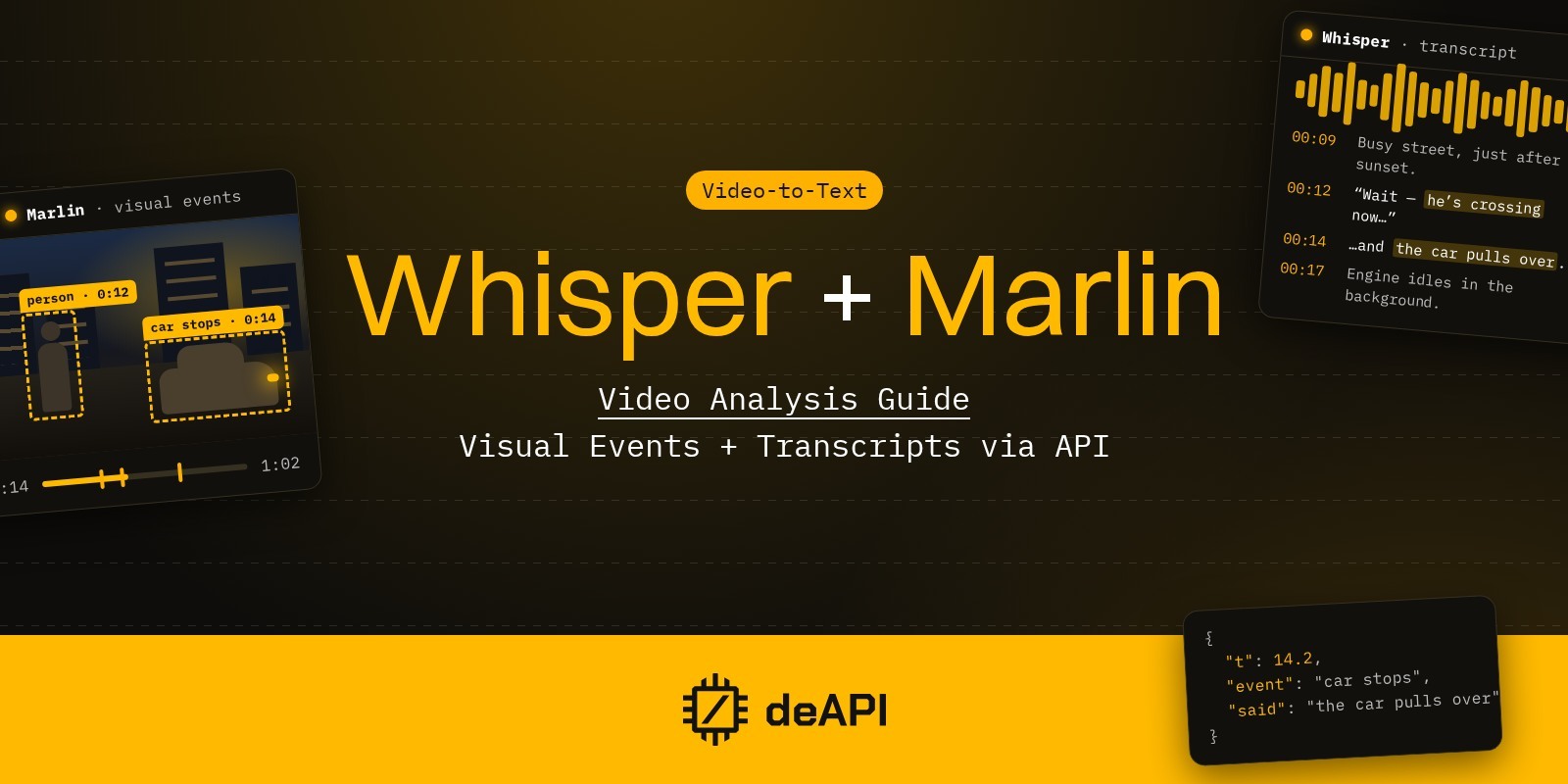
How to Analyze Videos with AI: Visual Events + Transcripts via API
A few hundred TikToks mention your product this week, and no one on the team has time to watch them. A transcript covers part of the job, but plenty of short videos carry little speech, just a product in someone’s hand or a reaction set to music. An AI video analysis API gives you both halves of a video as data you can search. You get one timestamped list of what appears on screen and a second one of what people say.
This guide shows how to get both from a single video URL on deAPI. Marlin 2B describes the picture, and Whisper transcribes the sound. Both accept links from YouTube, TikTok, Twitch, X and Kick, so you never download a file yourself. We ran them on real clips from each platform, and every price below comes from those runs or from the price endpoint.
What AI video analysis returns
Marlin 2B is a video-language model from NemoStation, fine-tuned from Qwen3.5-2B to answer what happens in a video and when (model card). On deAPI it takes a video URL or an uploaded file and returns JSON with three parts. The events list holds one short sentence per action, each with a start and end in seconds. scenes describes the video in overlapping windows of about 15 seconds, one paragraph each, and meta records the duration and the settings used.
Here are three events from a Tasty risotto tutorial on YouTube, analyzed on the default preset:
[
  {"start": 14, "end": 18, "description": "A pile of raw arborio rice is shown."},
  {"start": 18, "end": 21.5, "description": "Text 'HIGH STARCH = CREAMIER' appears over rice."},
  {"start": 21.5, "end": 28, "description": "Text lists other grains and recommends arborio."}
]
The model reads text overlaid on the video. In the same 3-minute clip it also caught the “Tasty 101” title card and an overlay giving the cooking time as 15 to 20 minutes, and it split the video into 62 events.
Marlin reads frames only and ignores the audio track, which is why the speech comes from a second call. Whisper on deAPI returns the transcript with timestamps for each segment, or for each word on WhisperLargeV3Ct2. Because both outputs share one clock, you can line them up and see what was said while each event was on screen.
Picture or sound: which model a video needs
Some videos need only one of the two models, and three of our test clips show when.
A 15-second demo of a recipe app posted on X has music and no voice. Whisper returned “Outro Music”. Marlin covered the whole flow:
0-1 s: The app displays recipe categories and a recipe selection screen.
1-3 s: A photo of a pizza is displayed in the camera view.
3-12 s: The app processes the photo and prepares the recipe card.
12-14.7 s: The final recipe card for the pizza is shown.
A 37-second clip from a TwitchCon panel is the opposite case. Marlin kept reporting that “the panel members remain seated and attentive”, while the actual content was a question about a server whitelist and the answer, which only Whisper picked up. For a panel like this one, the transcript carries nearly everything.
A Kitchen Nightmares clip on Gordon Ramsay’s TikTok needs both. Whisper hears him call the fish “watery and disgusting”. Marlin sees him pick up another piece and eat it while he says “Absolutely disgusting.” The contradiction only shows up when the two outputs sit side by side.
Supported platforms
Both models take a public URL. Marlin accepts up to two hours of video per job.
| Platform | Marlin 2B (picture) | Whisper (speech) | Notes |
|---|---|---|---|
| YouTube | Yes | Both models | |
| TikTok | Yes, up to 10 min | WhisperLargeV3Ct2 only | Priced per video by length |
| Twitch | Yes | Both models | Clips and VODs |
| Kick | Yes | Both models | |
| X | Video posts | Both models | Spaces are audio only, so Whisper only |
| File upload | mp4, webm, mkv, mov, avi and more | Both models | For videos hosted elsewhere |
YouTube. A video up to two hours long goes through as one job. If you only need the words, the YouTube transcription guide covers that case step by step.
TikTok. TikTok is priced differently from the other platforms: each video costs a fixed amount set by its length, in bands of up to 1, 2, 3, 5 and 10 minutes. Ten minutes is the limit. Only WhisperLargeV3Ct2 transcribes TikTok links, and any other model is rejected before the job is queued. The price endpoint won’t quote a TikTok URL directly, because looking it up costs money, so you quote by duration_seconds together with platform: "tiktok".
Twitch. A stream VOD runs for hours, and editors scrub through it to find a minute worth clipping. Marlin’s two-hour cap means a longer VOD goes in as several parts.
Kick. Kick clips and VODs work the same way as Twitch ones, at the same price. Our test on a 50-second clip came back from Marlin in 32 seconds, and the visual description cost $0.007.
X. Video posts work with both models. X Spaces carry no picture, so Marlin rejects them, and Whisper transcribes them as usual.
Choosing a Marlin preset
The preset parameter sets how large each frame is when the model reads it. A larger frame catches small objects and text but takes more machine time. We ran Gordon Ramsay’s 92-second pasta video on the two ends of the scale:
| Preset | Frame size | Events | Price | Time to result |
|---|---|---|---|---|
fast | 480×256 | 29 | $0.0048 | 27 s |
detail | 1248×672 | 41 | $0.0126 | 63 s |
detail added steps that fast merged or skipped, such as black pepper sprinkled over the drained pasta and oil poured from a bottle. Both presets misread the 9-second mark, where Ramsay fills a pot from the tap. fast saw a hand putting a lid on the pot, and detail saw a glass bowl set on the counter. detail also switched between calling the same vessel a pot and a pan. Check the output on your own footage before you rely on object names.
Our rule of thumb is to use balanced, the default, for most work. Use fast when you index large volumes and only need the outline, and detail when you need logos and small printed text, as in the brand monitoring example below. On YouTube, an hour on detail costs about 6.5 times as much as on fast.
Analyze a video by URL in Python
The script below sends one URL to both models, waits for both results and merges them into a single timeline. It uses WhisperLargeV3Ct2 with word-level timestamps, because a segment from WhisperLargeV3 can run for close to a minute, which is too coarse to match against events a few seconds long. The Whisper Large V3 CT2 guide covers its other features, including speaker labels.
import json
import os
import sys
import time

import requests

API = "<https://api.deapi.ai/api/v2>"
HEADERS = {
    "Authorization": f"Bearer {os.environ['DEAPI_API_KEY']}",
    "Accept": "application/json",
}

def describe(url, preset="balanced"):
    """Start a Marlin 2B job: what happens on screen, with timestamps."""
    r = requests.post(
        f"{API}/videos/descriptions",
        headers=HEADERS,
        files={  # multipart/form-data
            "video_url": (None, url),
            "model": (None, "Marlin_2B"),
            "preset": (None, preset),
            "return_result_in_response": (None, "true"),
        },
    )
    r.raise_for_status()
    return r.json()["data"]["request_id"]

def transcribe(url):
    """Start a Whisper job with word-level timestamps."""
    r = requests.post(
        f"{API}/audio/transcriptions",
        headers=HEADERS,
        json={
            "source_url": url,
            "model": "WhisperLargeV3Ct2",
            "include_ts": True,
            "ts_level": "word",
            "return_result_in_response": True,
        },
    )
    r.raise_for_status()
    return r.json()["data"]["request_id"]

def wait(request_id):
    """Poll the job until it finishes, then return the parsed JSON result."""
    while True:
        job = requests.get(f"{API}/jobs/{request_id}", headers=HEADERS).json()["data"]
        if job["status"] == "done":
            return json.loads(job["result"])
        if job["status"] == "error":
            raise RuntimeError(job.get("error_reason"))
        time.sleep(5)

def merge(visual, speech):
    """Attach the words spoken during each visual event."""
    words = [w for seg in speech.get("segments", []) for w in seg.get("words", [])]
    # Music-only clips can come back as filler syllables with low language confidence
    if speech.get("language_probability", 1) < 0.5:
        words = []
    events = visual["events"]
    timeline = []
    for i, event in enumerate(events):
        # The last event also collects words spoken after it ends
        end = event["end"] if i < len(events) - 1 else float("inf")
        said = [
            w["word"] for w in words
            if event["start"] <= (w["start"] + w["end"]) / 2 < end
        ]
        timeline.append({
            "start": event["start"],
            "end": event["end"],
            "on_screen": event["description"],
            "spoken": " ".join(said),
        })
    return timeline

if __name__ == "__main__":
    url = sys.argv[1]
    # Both jobs run in parallel on deAPI's side
    visual_id, speech_id = describe(url), transcribe(url)
    timeline = merge(wait(visual_id), wait(speech_id))
    for row in timeline:
        print(f"[{row['start']:>6.1f}-{row['end']:<6.1f}] {row['on_screen']}")
        if row["spoken"]:
            print(f"{'':16}\"{row['spoken']}\"")
Each word goes to the event whose time range contains the word’s midpoint, so no word is counted twice. Run it with python analyze.py <video-url>. On the Kitchen Nightmares TikTok, part of the output reads:
[18.5-20.5] The man reaches for another piece of fish.
“That’s terrible. That”
[20.5-23.0] The man looks down and then up at the camera.
“is watery and disgusting.”
[23.0-26.0] The man picks up a piece of fish and eats it.
“Absolutely disgusting.”
The whole 38-second clip cost $0.0375: $0.015 for the picture and $0.0225 for the word-level transcript. The script writes the timeline to the terminal, and in a real pipeline you would store each row with the video URL and its timestamps, so a search hit can link straight to the moment.
What it costs per video
Pricing for Marlin and Whisper follows the length of each video, so here it is per clip at typical lengths. All figures come from the price endpoint, with Marlin on balanced and Whisper on WhisperLargeV3Ct2.
| Video | Marlin 2B | Whisper, segment timestamps | Whisper, word timestamps |
|---|---|---|---|
| TikTok, up to 1 min | $0.015 | $0.015 | $0.0225 |
| TikTok, up to 3 min | $0.030 | $0.030 | $0.045 |
| TikTok, up to 10 min | $0.0825 | $0.0825 | $0.124 |
| YouTube, 30 s | $0.0047 | $0.0054 | $0.0081 |
| X, Twitch or Kick, 30 s | $0.0058 | $0.0072 | $0.0107 |
| YouTube, 10 min | $0.028 | $0.013 | $0.019 |
| X, Twitch or Kick, 10 min | $0.049 | $0.048 | $0.072 |
| YouTube, 1 hour | $0.149 | $0.052 | $0.078 |
| Twitch or Kick VOD, 1 hour | $0.277 | $0.264 | $0.397 |
A 30-second TikTok costs about three times as much as a clip of the same length from YouTube, and a little over twice as much as one from X, Twitch or Kick. Those three platforms also cost more per hour than YouTube. A Twitch VOD costs about twice the YouTube rate on Marlin and five times on Whisper. On YouTube, most of a short clip’s price is a fixed charge per job, so each extra minute adds little. Adding include_metadata returns the title, channel, view count and likes, for a flat $0.005 per job.
Marlin’s price also scales with the preset. On TikTok, fast costs 0.75 of the balanced price and detail 1.5 times it. On YouTube, an hour costs $0.056 on fast, $0.149 on balanced and $0.361 on detail. On X, Twitch and Kick the same hour costs $0.185, $0.277 and $0.486. To check a price before you send a job, call POST /api/v2/videos/descriptions/price with the URL. To quote by length, which TikTok requires, send duration_seconds together with platform (tiktok, twitch, kick or twitter). Without platform, the endpoint quotes the YouTube rate.
What people build with it
Brand monitoring beyond text
Social listening tools search written posts for a brand name. In video, a brand can come up without anyone typing it. A creator says it out loud in a review, or the logo sits on a cup in the background of an unrelated clip.
With both models running, a monitoring pipeline catches either case. Whisper hears the name when someone says it, and Marlin on detail reads it off packaging and labels. We checked the second part on two YouTube reviews. In a Nike Air Force 1 unboxing, Marlin named the shoe model and picked up the logo on the box and the “AIR” branding on the heel. In a review of a Coca-Cola coin bank, it quoted the product label word for word: “Coca-Cola Large Contour Bottle Bank”.
Brand names landed almost entirely in the scenes paragraphs. The events list described the Coca-Cola video as a man holding “a red label” next to “a green bottle” and never named the brand. A monitoring search therefore has to cover scenes too. This short script reuses the functions from analyze.py and searches both sources for a keyword:
import sys

from analyze import describe, merge, transcribe, wait

def snippet(text, keyword, width=60):
    """Cut a short excerpt around the first match."""
    i = text.lower().find(keyword)
    return "..." + text[max(0, i - width):i + len(keyword) + width] + "..."

def find_mentions(visual, timeline, keyword):
    """List the moments where a keyword shows up on screen or in speech."""
    keyword = keyword.lower()
    # Brand names show up in the scene descriptions far more often than in events
    hits = [
        (scene["start"], "on screen", snippet(scene["text"], keyword))
        for scene in visual.get("scenes", [])
        if keyword in scene["text"].lower()
    ]
    hits += [
        (row["start"], "spoken", row["spoken"])
        for row in timeline
        if keyword in row["spoken"].lower()
    ]
    return sorted(hits)

if __name__ == "__main__":
    url, keyword = sys.argv[1], sys.argv[2]
    # Logos and printed labels need the larger frames of the detail preset
    visual_id, speech_id = describe(url, preset="detail"), transcribe(url)
    visual = wait(visual_id)
    timeline = merge(visual, wait(speech_id))
    for start, source, text in find_mentions(visual, timeline, keyword):
        print(f"[{start:>6.1f}] {source}: {text}")
Run it with python monitor.py <video-url> coca-cola. On the coin bank review, the first hits read:
[ 0.0] on screen: …He holds a red and white Coca-Cola bottle bank label in his left hand…
[ 0.0] spoken: In this video, I’m going to be reviewing the Coca-Cola Piggy
[ 10.5] spoken: bank, Coca-Cola.
[ 19.5] on screen: …there is a red Coca-Cola box and a plastic bag containing small items…
[ 29.0] on screen: …presents a red and white ‘Coca-Cola Large Contour Bottle Bank’ label to the camera…
A spoken hit points to the exact second, and an on-screen hit to a window of about 15 seconds. The 160-second review cost $0.030 in total: $0.019 for Marlin on detail and $0.011 for the word-level transcript.
At TikTok prices, running monitor.py on 1,000 clips under a minute costs $45. Switching Whisper to segment timestamps brings that to $37.50, and a mention is still easy to find. The same 1,000 clips at 30 seconds each cost about $15 from YouTube and $18 from X, Twitch or Kick.
Competitor ad research
Many video ads run on music and on-screen text, with no voiceover. A transcript returns almost nothing for them, as it did for the recipe app demo on X. Marlin’s events list what an ad shows and in what order, from the opening shot to the closing card. It also reads text laid over the picture, as it did with the Tasty captions, so text printed over an ad lands in the output too.
Finding moments in long VODs
Editors who cut clips from streams scrub through hours of footage. A merged timeline of what happened on screen and what the streamer said turns that into a text search, so an editor can look up the moment by keyword and jump to its timestamp. The 3-minute risotto tutorial produced 62 events. At that rate a two-hour VOD produces over 2,000 rows.
Limits worth knowing
- Each model covers one channel. Before you pay for both, check which one a video depends on, as with the panel and the app demo above.
- A static shot produces repetitive events. In the TikTok clip, Marlin described someone “looking down and then up” five times.
- Brand names show up mostly in
scenes, and printed text is sometimes misread. Names of small objects aren’t reliable either. A pot filling with water came back as a lid on one preset and a glass bowl on the other. - A music-only clip can come back from
WhisperLargeV3Ct2as a string of filler syllables rather than an empty transcript. Ours did, with a language confidence of 0.40, which is why the merge function drops transcripts under 0.5. - Marlin takes up to two hours per job, and TikTok up to 10 minutes. Marlin rejects live streams and audio-only sources such as X Spaces.
Run it on your own videos
A new account comes with $5 in credit. At the prices above that covers about 160 short TikToks, close to 500 short clips from YouTube, or about 390 from X, Twitch or Kick, each with both picture and speech analyzed at segment-level timestamps. Get your API key and run the script on one of your own clips.